





MAIN FEATURES:
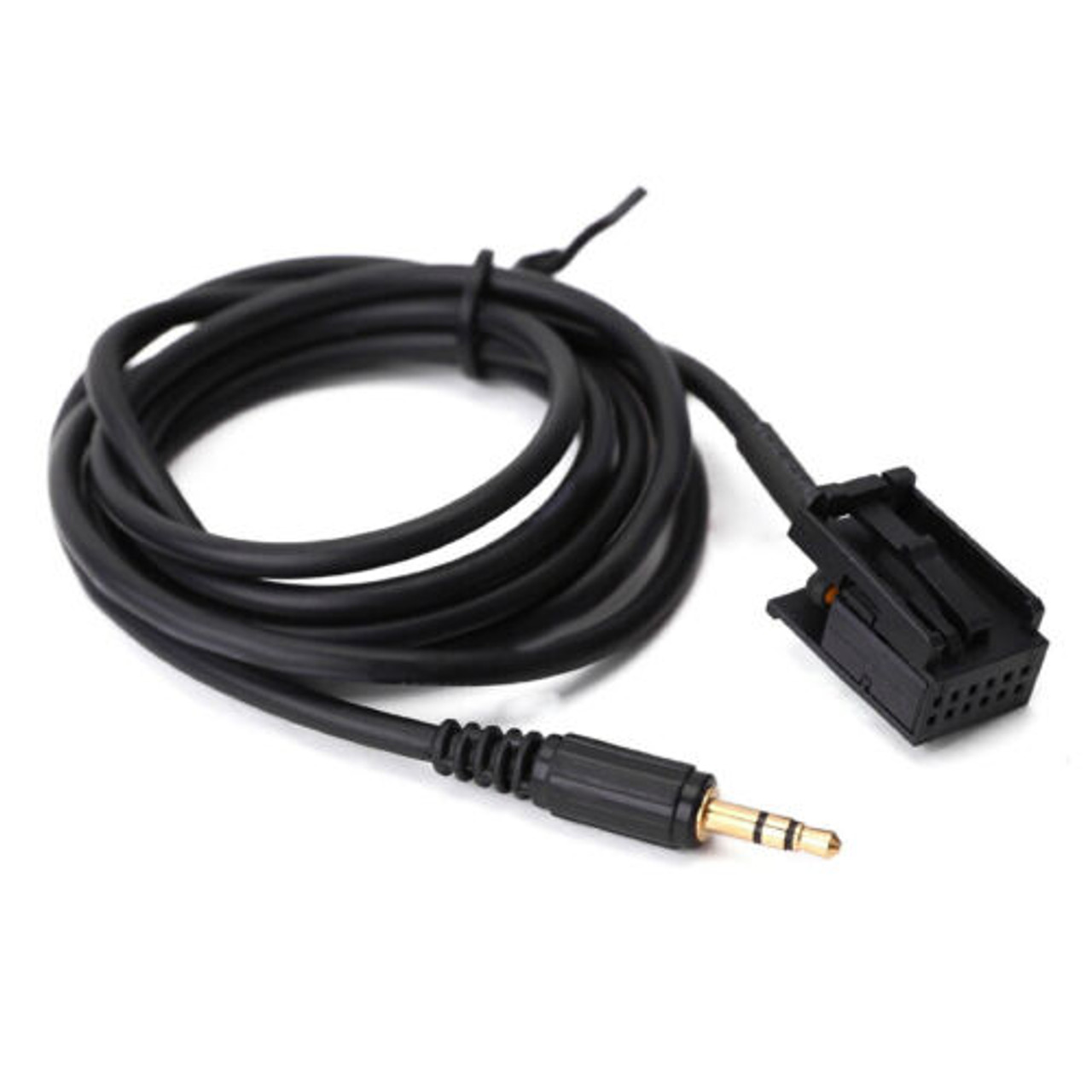
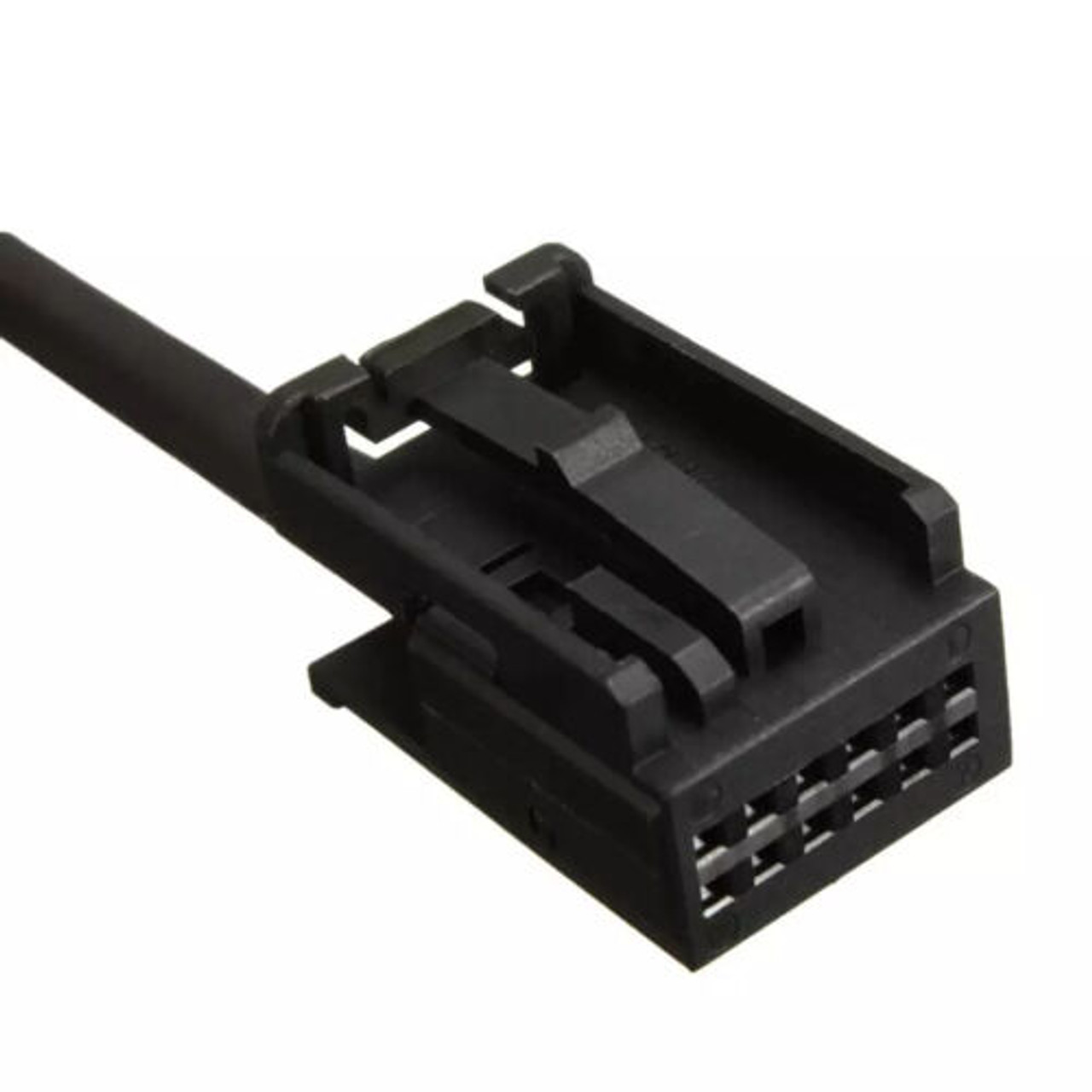
AUX-24210 – Vauxhall AUX Input Adapter Cable for CD30 MP3, CDC40 Opera, CD70 Navi, and DVD90 Navi Head Units.
This high-quality aftermarket AUX adapter cable is designed to enable seamless audio integration between your Vauxhall factory stereo and external audio devices. Compatible with head units featuring the "AUX-IN" function—including CD30 MP3, CDC40 Opera, CD70 Navi, and DVD90 Navi—this adapter allows you to connect a wide range of devices such as iPods, iPhones, iPads, MP3 players, smartphones, and any other audio source with a standard 3.5mm headphone output.
FACTORY HEAD UNIT COMPATIBILITY LIST:
- CD30 MP3 With AUX
- CDC40/OPERA With AUX
- CD70/NAVI With AUX
- DVD 90NAVI With AUX
Key Attributes:
- Enables direct audio input via 3.5mm stereo jack
- Compatible with factory-fitted Vauxhall stereos that support AUX-IN
- Simple plug-and-play installation to the rear of the head unit
- Cable length: Approximately 1.45 meters
- Maintains control and display functionality on the connected audio device
Installation Instructions:
- With your vehicle’s ignition and stereo powered on, press the AM/FM button on the head unit. If “AUX IN” appears on the display, your stereo is equipped with the AUX-IN function and is compatible with this adapter.
- Connect one end of the cable to the AUX input at the rear of your stereo.
- Route the cable as desired within your vehicle cabin and plug the other end into the 3.5mm headphone jack of your external audio device.
- Audio will now play directly through your vehicle’s speakers, with playback controlled from your device.
Please Note: Before purchasing, please verify that your head unit supports the AUX-IN function. If “AUX IN” does not appear when pressing the AM/FM button, your stereo may not be compatible with this adapter.
UK Deliveries: Free UK mainland delivery applies to orders over £30 (exceptions apply to remote regions and islands, which will see a surcharge at checkout).
Orders Under 2kg: Most in-stock items arrive in 2–3 working days. Items held by suppliers take 4–6 working days. (Note: Saturday is not a working day).
Orders Over 2kg: Dispatched via trusted couriers including AMAZON Shipping, Royal Mail, DPD, and UPS.
Royal Mail Specifics: Royal Mail aims to deliver in 1–3 working days, though this is not guaranteed. If your item has not arrived after 7 days, please contact us. We can only replace missing items after 14 days have passed.
More information (including international delivery on our Delivery Information page.
MAIN FEATURES:
AUX-24210 – Vauxhall AUX Input Adapter Cable for CD30 MP3, CDC40 Opera, CD70 Navi, and DVD90 Navi Head Units.
This high-quality aftermarket AUX adapter cable is designed to enable seamless audio integration between your Vauxhall factory stereo and external audio devices. Compatible with head units featuring the "AUX-IN" function—including CD30 MP3, CDC40 Opera, CD70 Navi, and DVD90 Navi—this adapter allows you to connect a wide range of devices such as iPods, iPhones, iPads, MP3 players, smartphones, and any other audio source with a standard 3.5mm headphone output.
FACTORY HEAD UNIT COMPATIBILITY LIST:
- CD30 MP3 With AUX
- CDC40/OPERA With AUX
- CD70/NAVI With AUX
- DVD 90NAVI With AUX
Key Attributes:
- Enables direct audio input via 3.5mm stereo jack
- Compatible with factory-fitted Vauxhall stereos that support AUX-IN
- Simple plug-and-play installation to the rear of the head unit
- Cable length: Approximately 1.45 meters
- Maintains control and display functionality on the connected audio device
Installation Instructions:
- With your vehicle’s ignition and stereo powered on, press the AM/FM button on the head unit. If “AUX IN” appears on the display, your stereo is equipped with the AUX-IN function and is compatible with this adapter.
- Connect one end of the cable to the AUX input at the rear of your stereo.
- Route the cable as desired within your vehicle cabin and plug the other end into the 3.5mm headphone jack of your external audio device.
- Audio will now play directly through your vehicle’s speakers, with playback controlled from your device.
Please Note: Before purchasing, please verify that your head unit supports the AUX-IN function. If “AUX IN” does not appear when pressing the AM/FM button, your stereo may not be compatible with this adapter.
MAIN FEATURES:
AUX-24210 – Vauxhall AUX Input Adapter Cable for CD30 MP3, CDC40 Opera, CD70 Navi, and DVD90 Navi Head Units.
This high-quality aftermarket AUX adapter cable is designed to enable seamless audio integration between your Vauxhall factory stereo and external audio devices. Compatible with head units featuring the "AUX-IN" function—including CD30 MP3, CDC40 Opera, CD70 Navi, and DVD90 Navi—this adapter allows you to connect a wide range of devices such as iPods, iPhones, iPads, MP3 players, smartphones, and any other audio source with a standard 3.5mm headphone output.
FACTORY HEAD UNIT COMPATIBILITY LIST:
- CD30 MP3 With AUX
- CDC40/OPERA With AUX
- CD70/NAVI With AUX
- DVD 90NAVI With AUX
Key Attributes:
- Enables direct audio input via 3.5mm stereo jack
- Compatible with factory-fitted Vauxhall stereos that support AUX-IN
- Simple plug-and-play installation to the rear of the head unit
- Cable length: Approximately 1.45 meters
- Maintains control and display functionality on the connected audio device
Installation Instructions:
- With your vehicle’s ignition and stereo powered on, press the AM/FM button on the head unit. If “AUX IN” appears on the display, your stereo is equipped with the AUX-IN function and is compatible with this adapter.
- Connect one end of the cable to the AUX input at the rear of your stereo.
- Route the cable as desired within your vehicle cabin and plug the other end into the 3.5mm headphone jack of your external audio device.
- Audio will now play directly through your vehicle’s speakers, with playback controlled from your device.
Please Note: Before purchasing, please verify that your head unit supports the AUX-IN function. If “AUX IN” does not appear when pressing the AM/FM button, your stereo may not be compatible with this adapter.
UK Deliveries: Free UK mainland delivery applies to orders over £30 (exceptions apply to remote regions and islands, which will see a surcharge at checkout).
Orders Under 2kg: Most in-stock items arrive in 2–3 working days. Items held by suppliers take 4–6 working days. (Note: Saturday is not a working day).
Orders Over 2kg: Dispatched via trusted couriers including AMAZON Shipping, Royal Mail, DPD, and UPS.
Royal Mail Specifics: Royal Mail aims to deliver in 1–3 working days, though this is not guaranteed. If your item has not arrived after 7 days, please contact us. We can only replace missing items after 14 days have passed.
More information (including international delivery on our Delivery Information page.