




MAIN FEATURES
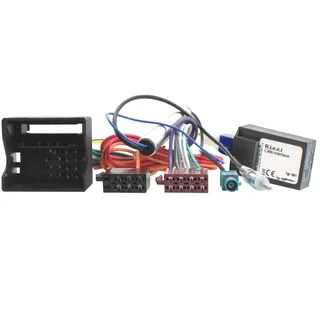
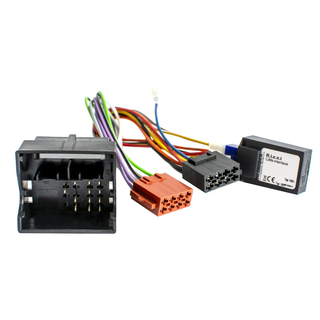
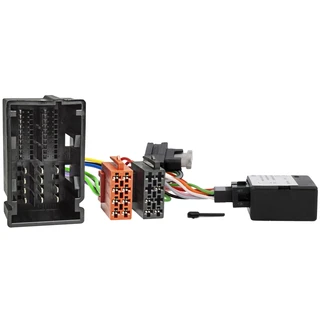
Just had your RCD330 or RCD360 fitted but are suffering issues like the unit won't turn on and off with the keys? Bluetooth message about the ignition but it is on? Well the reason this happens is because the RCD330 and RCD360 are both on the PQ6.5 platform with CANBUS 2.0. Your vehicle is suffering with these issues because it is on CANBUS 1.4. So how do you solve this? We have the solution here with our decoder simulator.
It will solve the following problems:
- Turns off every 30 minutes
- Buttons don't light up
- Avoid Battery Drain
- Can not turn off even if the key is removed
- No reverse image
- Bluetooth can not work
This is only suitable for VW models between 2010 and 2019. It will not be suitable for models before 2010. This item requires manual connection (it is not plug and play).
How to use it:
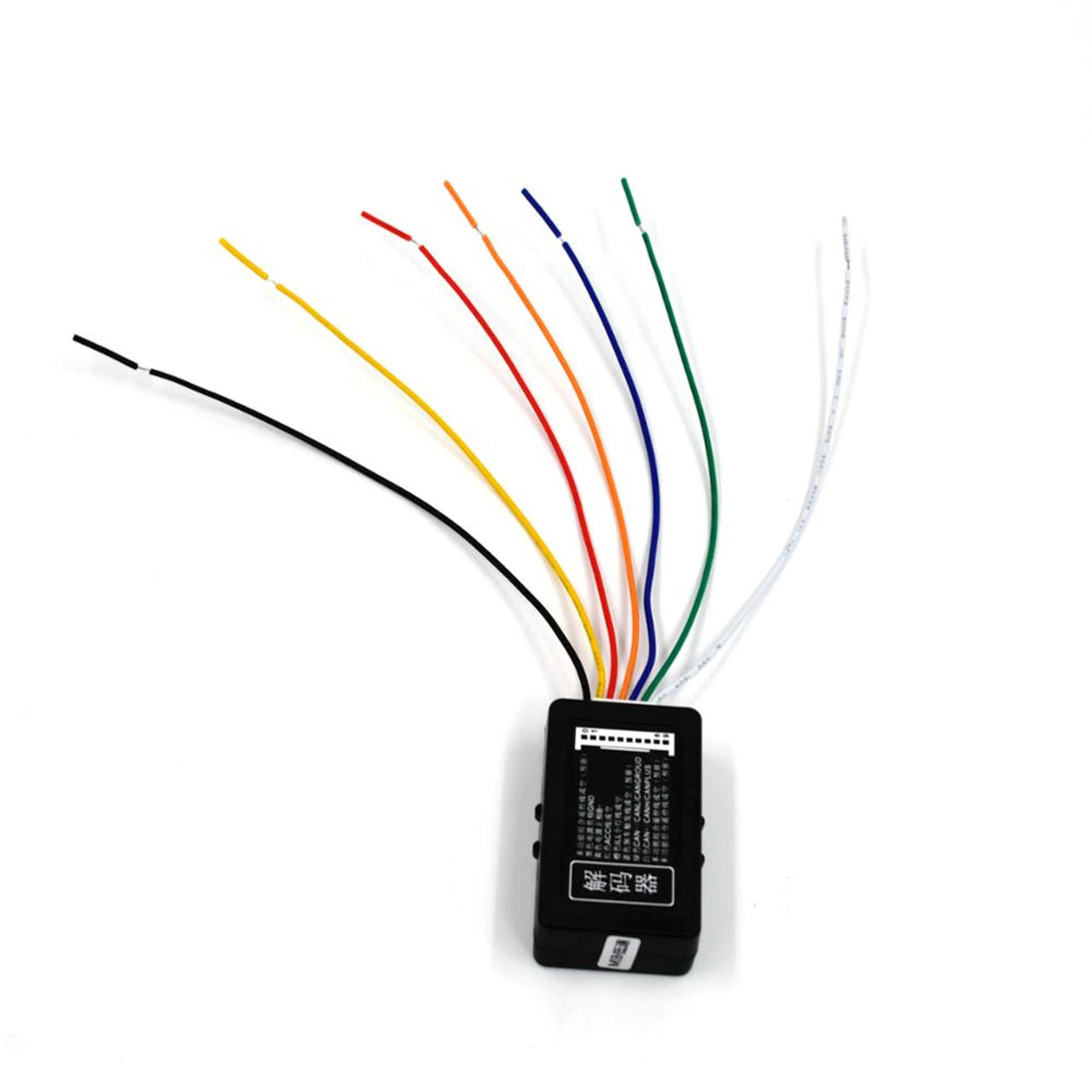
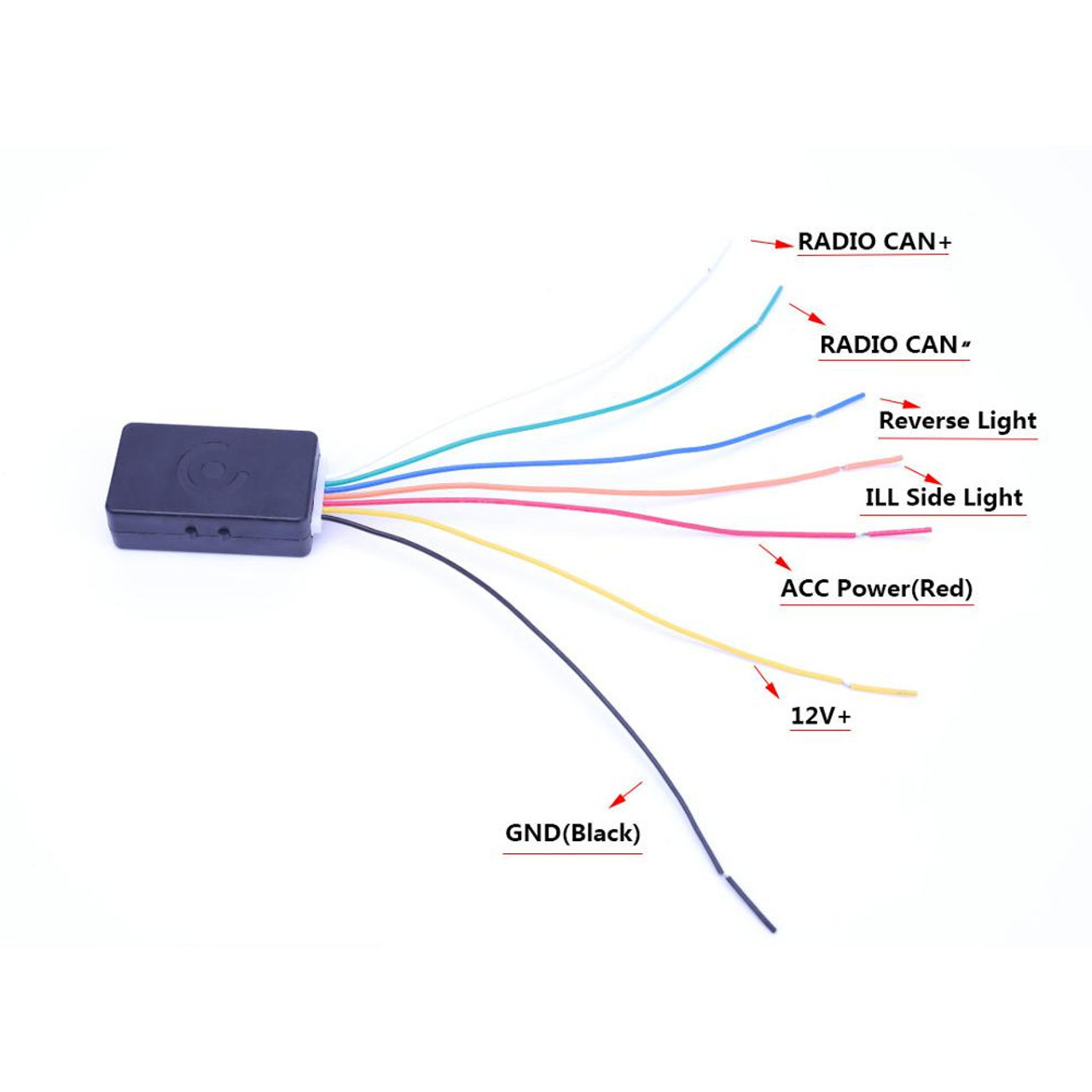
There are 5 inputs & 2 outputs for this device.
INPUTS
BLACK (GND) | You can connect to Brown cable on your radio's Quadlock socket/ Any Ground point
YELLOW (+12v BATT) | You can connect to Red/Yellow cable on your radio's Quadlock socket / Or any continuous 12V+
RED (ACC POWER) | You need to connect to a switched 12V. You can take it from Fuse box, this input must has 12V power only when you Switched ignition.
ORANGE (ILLUMINATION LIGHT) | You need to connect to 3nd pin of Light Switch of your car. (Parking light position usually grey/yellow cable)
BLUE (REAR CAMERA TRIGGER) | You need to connect to Backup Lamp. (You can find on BCM pinouts also, you need to connect when you install Reverse Camera)
OUTPUTS
WHITE (CAN +) |You need to connect your Radio's CAN + (HIGH) input, you can check it on Radio's label.
GREEN (CAN -) | You need to connect your Radio's CAN - (LOW) input, you can check it on Radio's label.
IMPORTANT NOTES:
Please note that you need to replace actual CAN +/- wirings with adapter's.
Please note that you need to connect actual CAN +/- back when you need to code your radio via VCDS/ODIS/OBD11...
UK Deliveries: Free UK mainland delivery applies to orders over £30 (exceptions apply to remote regions and islands, which will see a surcharge at checkout).
Orders Under 2kg: Most in-stock items arrive in 2–3 working days. Items held by suppliers take 4–6 working days. (Note: Saturday is not a working day).
Orders Over 2kg: Dispatched via trusted couriers including AMAZON Shipping, Royal Mail, DPD, and UPS.
Royal Mail Specifics: Royal Mail aims to deliver in 1–3 working days, though this is not guaranteed. If your item has not arrived after 7 days, please contact us. We can only replace missing items after 14 days have passed.
More information (including international delivery on our Delivery Information page.
1 Review
-
canbus simulator
used this to install an rcd330 unit. The instructions seem quite straightforward, in essence you are removing/cutting the can signals from the exisiting radio to avoid the battery drain problems. Take your time to understand where each wire goes, I piggy backed the box onto the existing loom and wrapped the wiring to give a professional look when installed. did a battery drain check after fitment and had 17mA after 60 secs - battery drain is not an issue plus rcd330 works great!
MAIN FEATURES
Just had your RCD330 or RCD360 fitted but are suffering issues like the unit won't turn on and off with the keys? Bluetooth message about the ignition but it is on? Well the reason this happens is because the RCD330 and RCD360 are both on the PQ6.5 platform with CANBUS 2.0. Your vehicle is suffering with these issues because it is on CANBUS 1.4. So how do you solve this? We have the solution here with our decoder simulator.
It will solve the following problems:
- Turns off every 30 minutes
- Buttons don't light up
- Avoid Battery Drain
- Can not turn off even if the key is removed
- No reverse image
- Bluetooth can not work
This is only suitable for VW models between 2010 and 2019. It will not be suitable for models before 2010. This item requires manual connection (it is not plug and play).
How to use it:
There are 5 inputs & 2 outputs for this device.
INPUTS
BLACK (GND) | You can connect to Brown cable on your radio's Quadlock socket/ Any Ground point
YELLOW (+12v BATT) | You can connect to Red/Yellow cable on your radio's Quadlock socket / Or any continuous 12V+
RED (ACC POWER) | You need to connect to a switched 12V. You can take it from Fuse box, this input must has 12V power only when you Switched ignition.
ORANGE (ILLUMINATION LIGHT) | You need to connect to 3nd pin of Light Switch of your car. (Parking light position usually grey/yellow cable)
BLUE (REAR CAMERA TRIGGER) | You need to connect to Backup Lamp. (You can find on BCM pinouts also, you need to connect when you install Reverse Camera)
OUTPUTS
WHITE (CAN +) |You need to connect your Radio's CAN + (HIGH) input, you can check it on Radio's label.
GREEN (CAN -) | You need to connect your Radio's CAN - (LOW) input, you can check it on Radio's label.
IMPORTANT NOTES:
Please note that you need to replace actual CAN +/- wirings with adapter's.
Please note that you need to connect actual CAN +/- back when you need to code your radio via VCDS/ODIS/OBD11...
UK Deliveries: Free UK mainland delivery applies to orders over £30 (exceptions apply to remote regions and islands, which will see a surcharge at checkout).
Orders Under 2kg: Most in-stock items arrive in 2–3 working days. Items held by suppliers take 4–6 working days. (Note: Saturday is not a working day).
Orders Over 2kg: Dispatched via trusted couriers including AMAZON Shipping, Royal Mail, DPD, and UPS.
Royal Mail Specifics: Royal Mail aims to deliver in 1–3 working days, though this is not guaranteed. If your item has not arrived after 7 days, please contact us. We can only replace missing items after 14 days have passed.
More information (including international delivery on our Delivery Information page.
1 Review
-
canbus simulator
used this to install an rcd330 unit. The instructions seem quite straightforward, in essence you are removing/cutting the can signals from the exisiting radio to avoid the battery drain problems. Take your time to understand where each wire goes, I piggy backed the box onto the existing loom and wrapped the wiring to give a professional look when installed. did a battery drain check after fitment and had 17mA after 60 secs - battery drain is not an issue plus rcd330 works great!